
Pro · Analytics
AI chatbot analytics that show what your visitors need
See how many people chat, what they ask, when they are most active and where they come from. Use it to improve your answers and plan your support.
Included in every Pro plan · Updates live · 7, 30, 90 days or custom range
Key metrics
Your chatbot at a glance
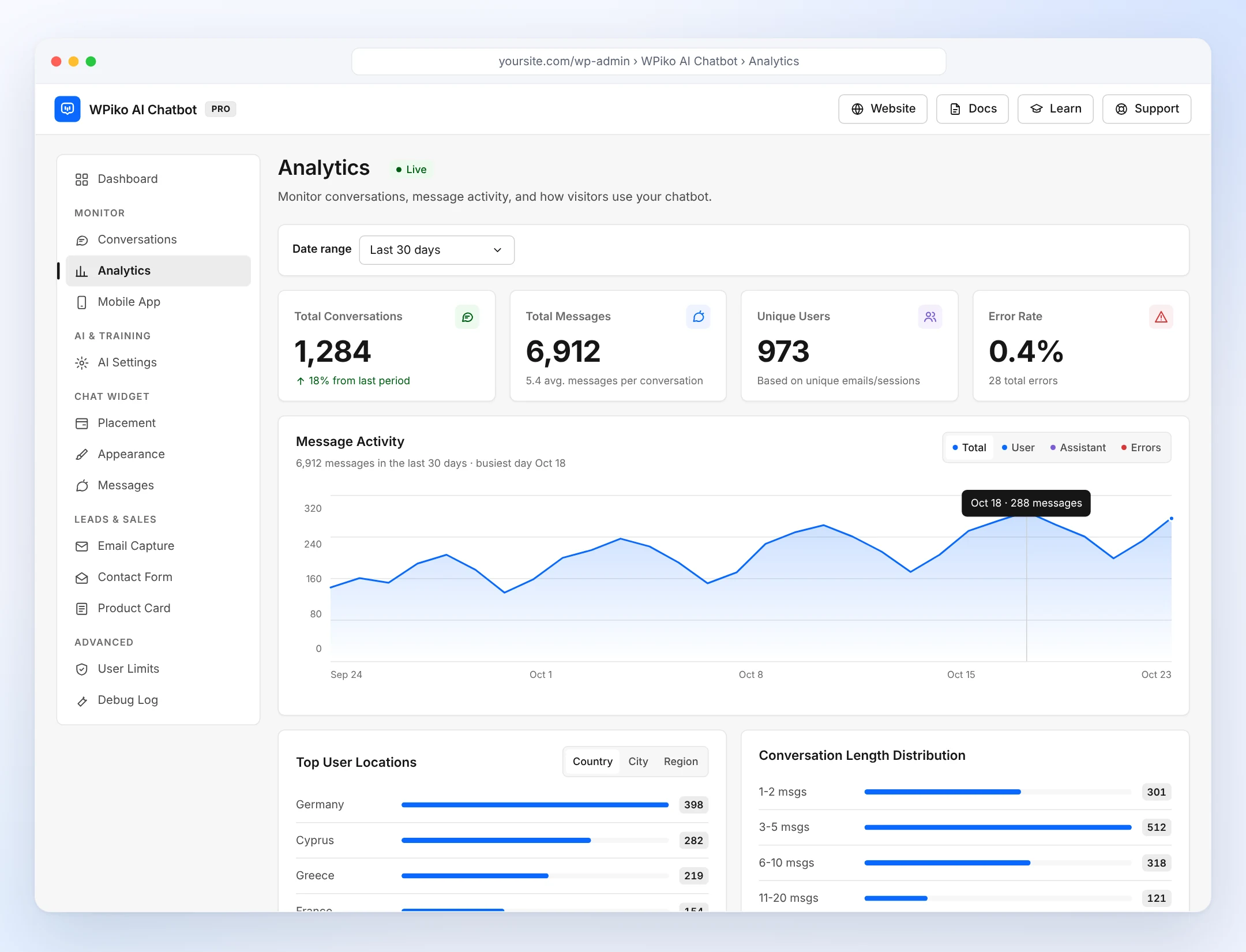
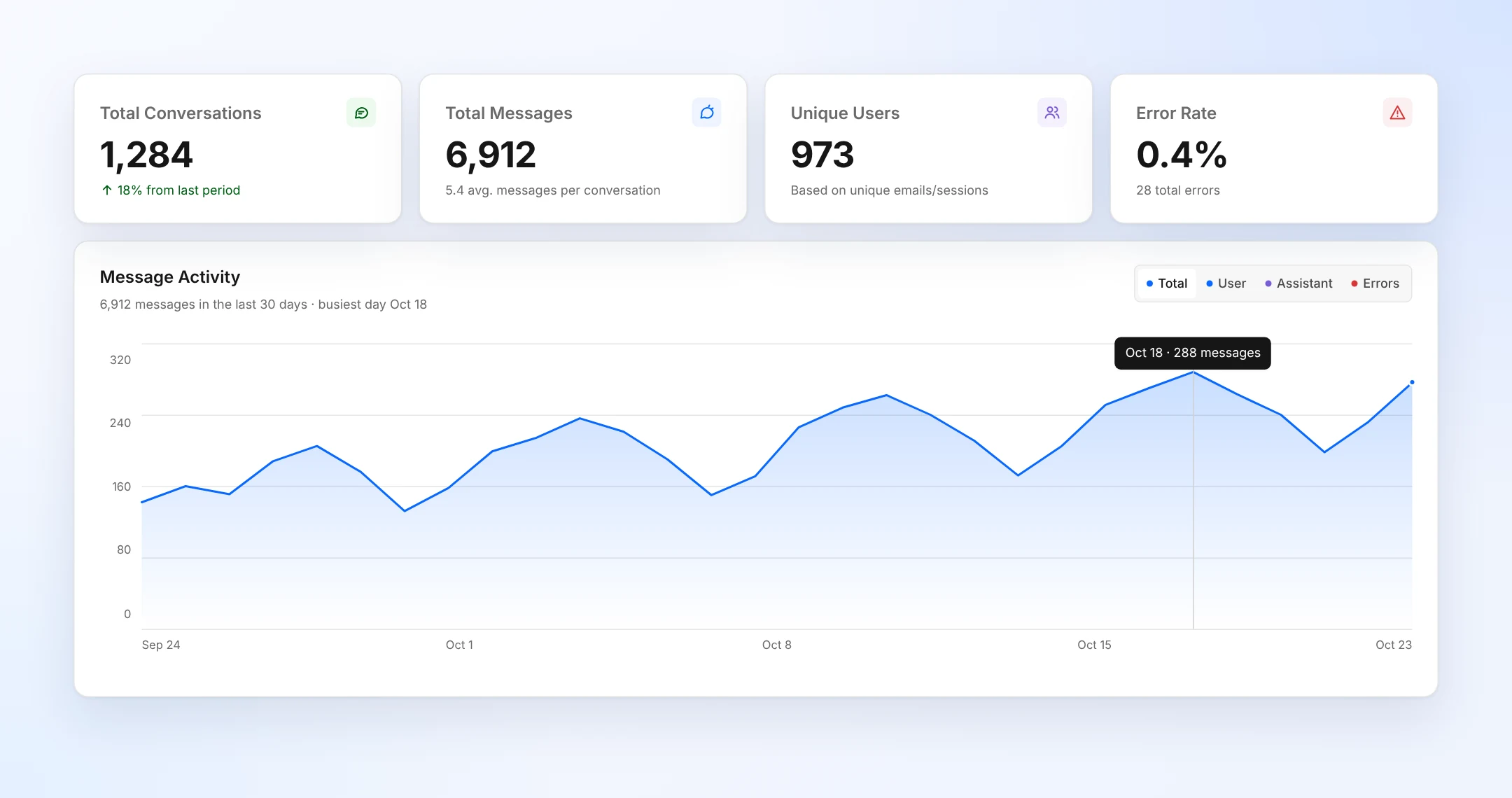
Four numbers at the top of the Analytics screen tell you how your chatbot is doing for any date range.
Conversations
Total Conversations
How many chats started, with the change from the previous period.
Messages
Total Messages
Every message sent, plus the average number of messages per conversation.
Visitors
Unique Users
How many different people chatted, based on unique emails and sessions.
Quality
Error Rate
The share of replies that failed, with the total count, so you can act early.
Reports
Know who chats, when and how
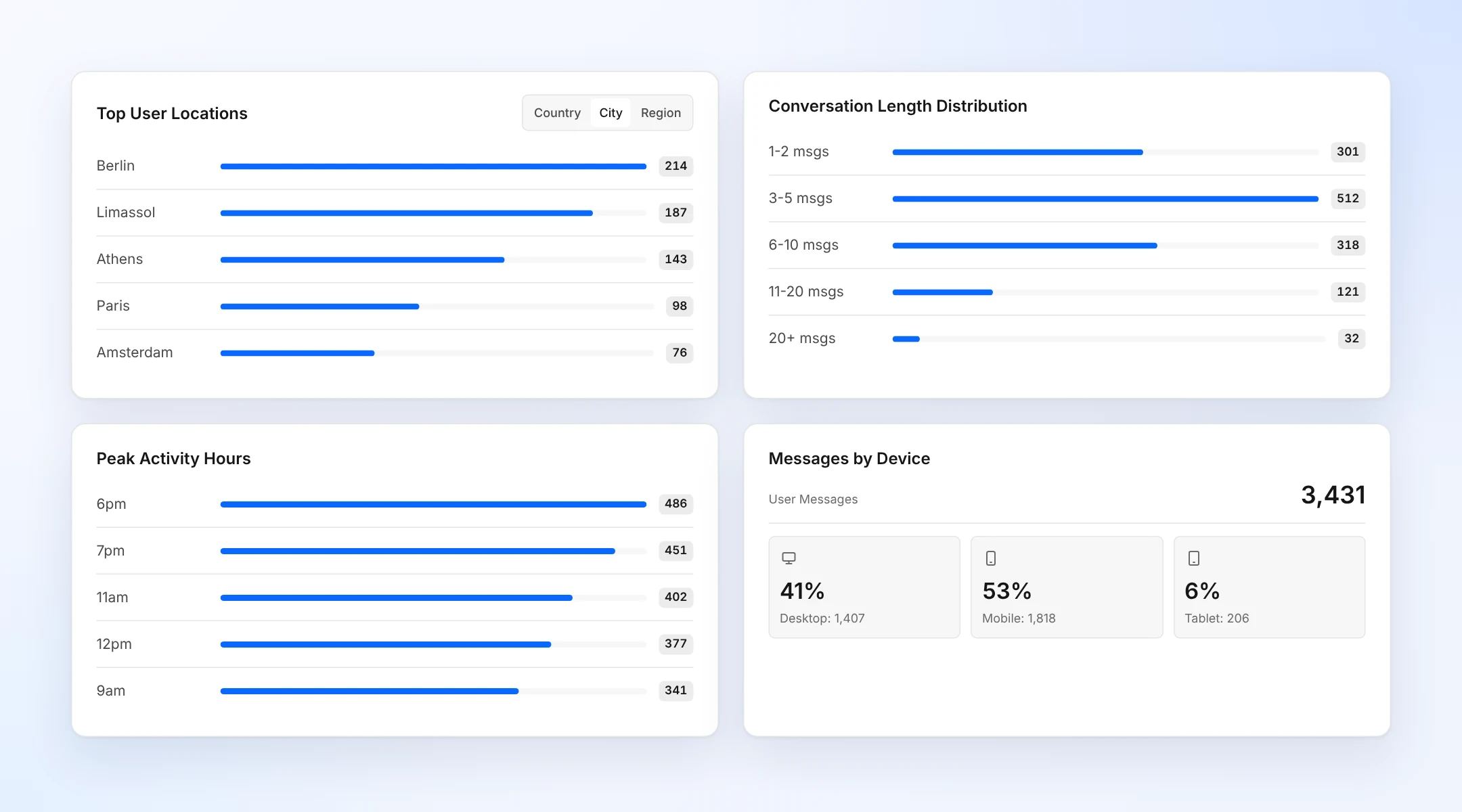
Below the totals, four reports break down your conversations.
Top User Locations
Your top 5 countries, cities or regions, so you know which languages and time zones matter.
Conversation Length
From quick 1-2 message answers to long 20+ message chats.
Peak Activity Hours
The busiest hours of the day, to plan when your team is online.
Messages by Device
Desktop, mobile and tablet, with counts and percentages.
Message activity
Spot trends over time
A day-by-day chart shows how many messages your chatbot handles. Switch between all messages, visitor messages, AI replies and errors, and hover any day for its exact number.
- Total, User, Assistant and Errors views
- Last 7, 30 or 90 days, or a custom range
- Live updates while you watch
From numbers to answers
Open the conversations behind the numbers
Analytics shows you what is happening. The Conversations inbox shows you why. Read the chats, translate them and improve your knowledge base where answers fall short.
- Search every conversation
- Translate any chat into your language
- Add missing answers with Quick learn, files or the Q&A Builder
Why it matters
Make better decisions with real data
Improve your answers
See long or failed conversations and add the missing information to your knowledge base.
Plan your support
Peak hours show when visitors need you most, so live chat is there at the right time.
Know your audience
Locations and devices tell you which languages to support and which screens to design for.
Start measuring your chatbot today
Analytics is included in every Pro plan. Pay once, use it forever.
14-day free trial · 30-day money-back guarantee